Now in public beta
Turn your files into knowledge your Agents can use.
Search across PDFs and notes. Build a lasting Markdown wiki with citations that open the source passage.
Check the evidence yourself. Let your agent reuse and update the same work.
- Free plan to start
- Bring your own model key; your provider bills usage
- Ordinary Markdown, no lock-in
- MCP for Claude Code, Cursor, Codex
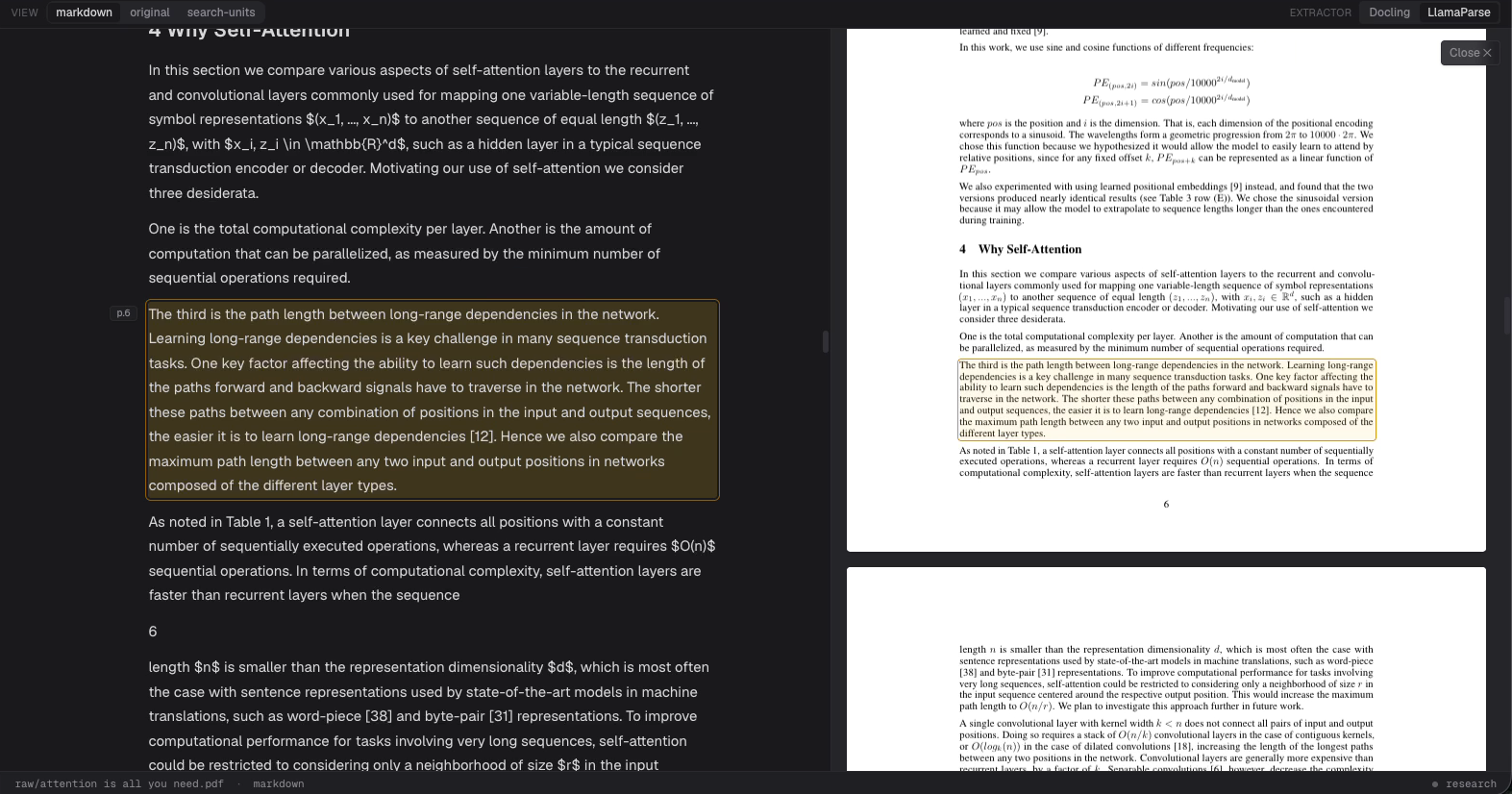

A research question becomes a saved page.
A real example using Attention Is All You Need. Three steps, each one a capture of the running app.
58 seconds: ask a question about a paper, save a cited wiki page, open the citation in the PDF, extend the same page. The stills below are frames of the same session, each 1920 pixels wide, so the cited text is readable at full size.
Ask a question about the paper.
We put the PDF in
raw/and asked why the Transformer replaced recurrence with attention. A bare question gets a chat reply, so the prompt on screen also names the file to write, the title, and a word cap. The how-to post carries both prompts verbatim.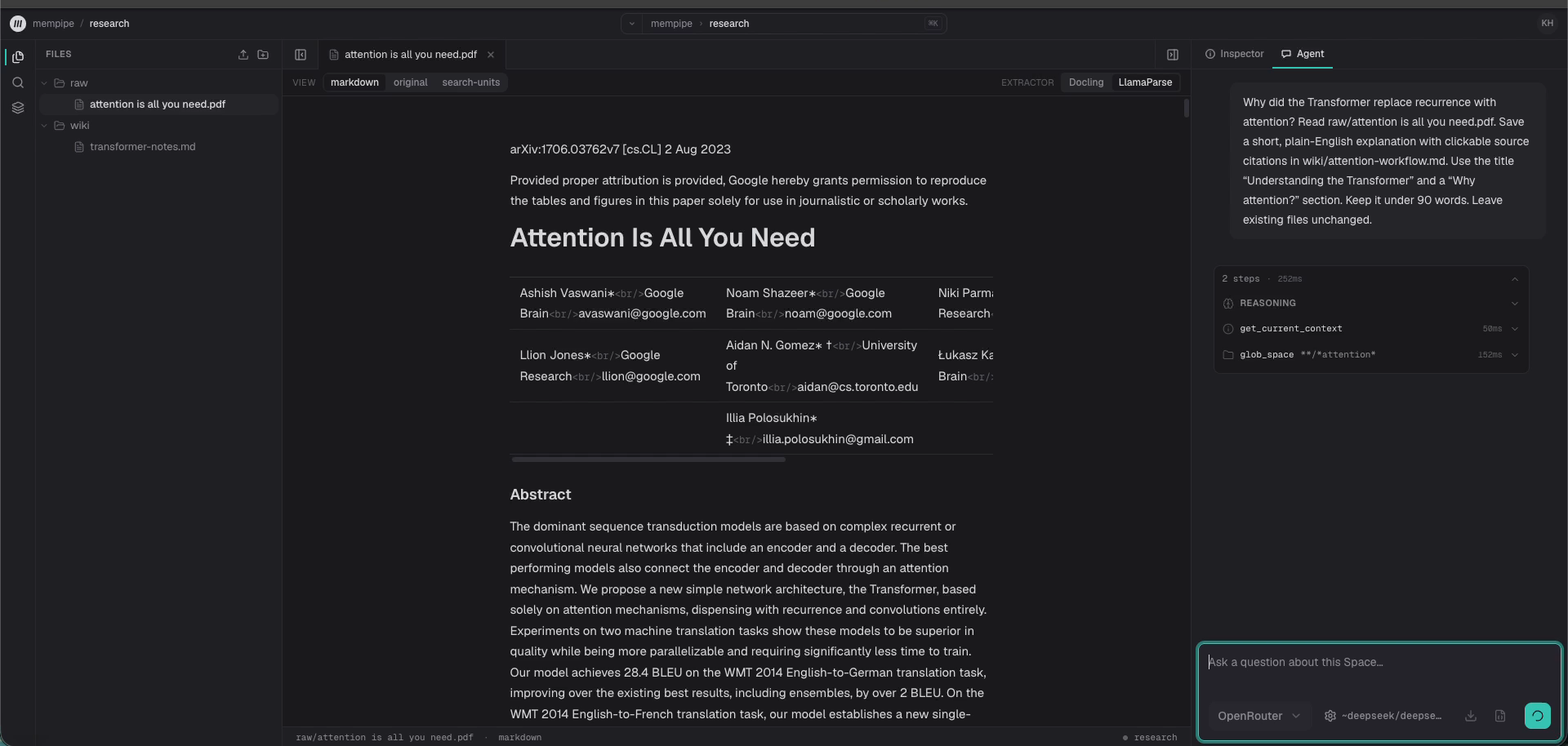
Keep the answer as a page.
The agent wrote
wiki/attention-workflow.mdand left every existing file untouched. The chips in it are citations; opening one shows the passage behind that sentence in the PDF.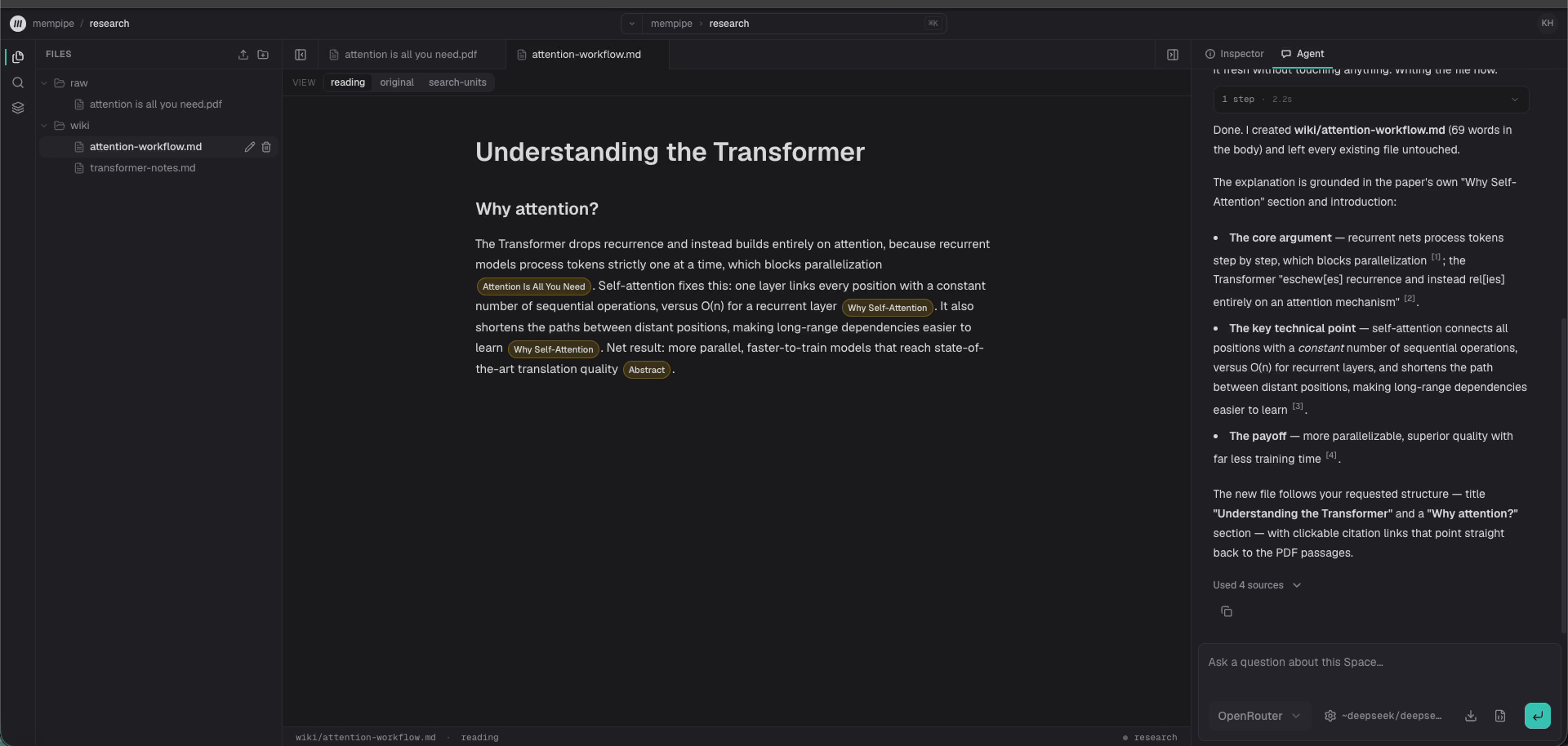
Ask the next question. Update the same page.
Then we asked how the model knows word order. The agent reread the saved page and appended a cited section on positional encoding. The earlier explanation stayed byte-for-byte unchanged.
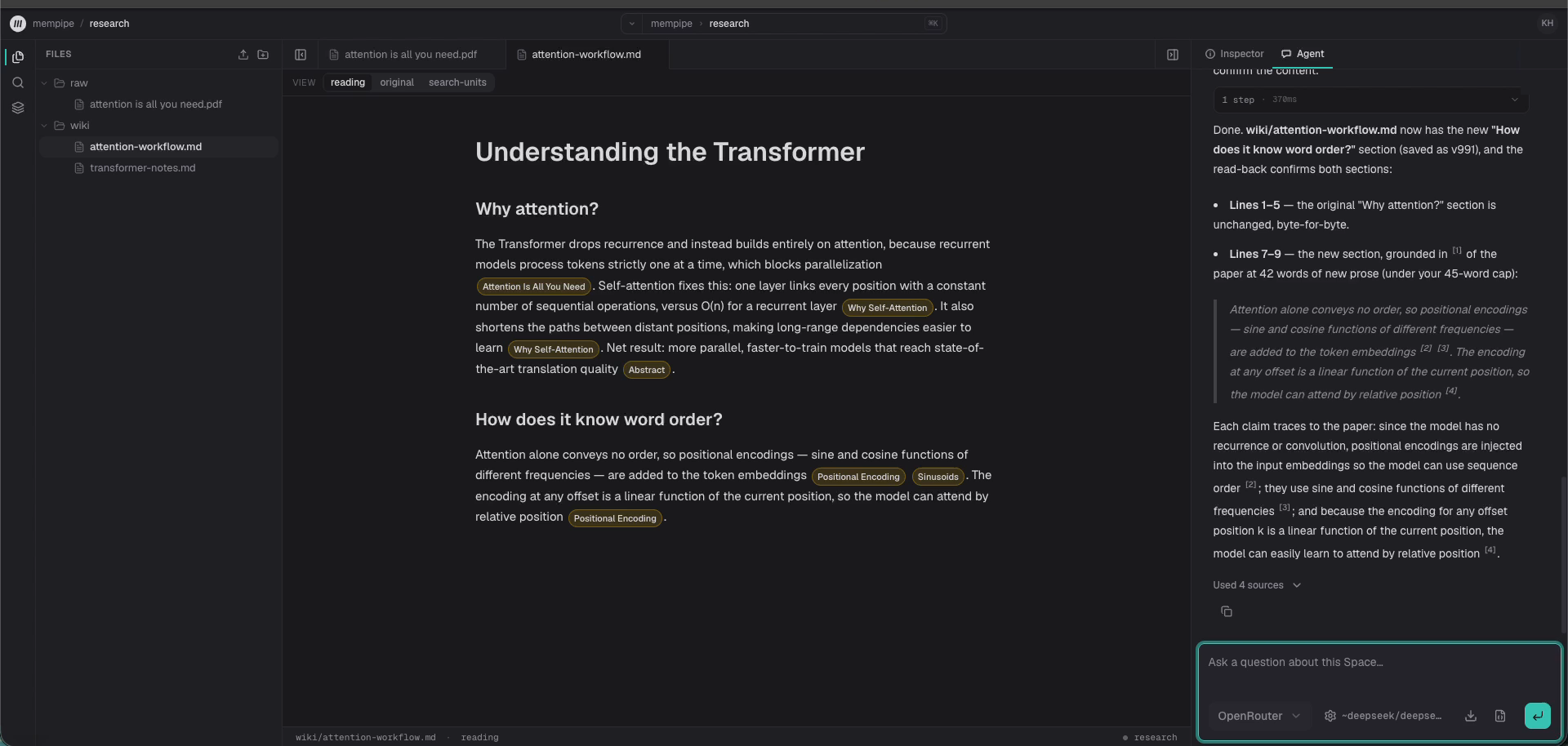


Captured in Mempipe with the in-app agent on a model of our choosing. Outputs vary with the model, and a citation that resolves proves the passage exists, not that the sentence summarizes it fairly.
From a folder of sources to knowledge that stays useful
Leave the next session more than a chat transcript. Your research becomes a named page you can reopen, edit, and build on.
01
Find the evidence
Upload PDFs and notes. Search for a phrase or ask a question across your source folder.
02
Keep the useful work
Ask the agent to save a brief, report, or wiki page as Markdown, with citations back to the sources.
03
Check the source
Open a citation to inspect the passage behind it. Review important claims and correct the page when needed.
04
Build on it next time
Add a new source and ask the agent to update the existing wiki. Pick up from the same pages in your next session.
Citations that open the evidence
Follow a citation from your wiki to the source passage. Mempipe connects extracted text to its place in the document, so you can inspect the evidence behind the work.
Explore source search →Your files stay files
Keep source PDFs beside the wiki. The pages your agent writes are ordinary Markdown you can read and edit yourself.
Search and citations connect that work to its sources. If your research includes CSV data, query its tables with SQL alongside your documents.
Explore the LLM wiki workflow →Works with your AI agents
What humans see is what agents use
- Claude Code
- Claude
- Cursor
- Codex
- ChatGPT desktop
- VS Code
$ claude mcp add --transport http mempipe \
    https://api.mempipe.ai/v1/@your-org/your-space/mcp
Use the in-app agent, or connect your own through MCP. Each Space is an MCP endpoint, and both agents work with the files, document search, and source references you can inspect in the workspace.
You choose an external agent’s access when connecting it to a Space. With your approval for write access, it can create and update Markdown pages. Ask it to read the existing wiki before making changes, then review the result.
Other clients connect from the same screen, or from a copied URL and their own remote HTTP MCP setup. Sign-in is a Mempipe sign-in, not a key you paste.
Connect your agent →Build knowledge that comes with receipts.
Bring your sources. Find the evidence. Leave behind something worth keeping.
Public beta. Start on Free and upgrade to Starter for more capacity. Bring your own API key for the in-app agent. Reading, searching, and editing files needs no key.
Talk with the founder for help getting started.